
AI-Powered Job Management
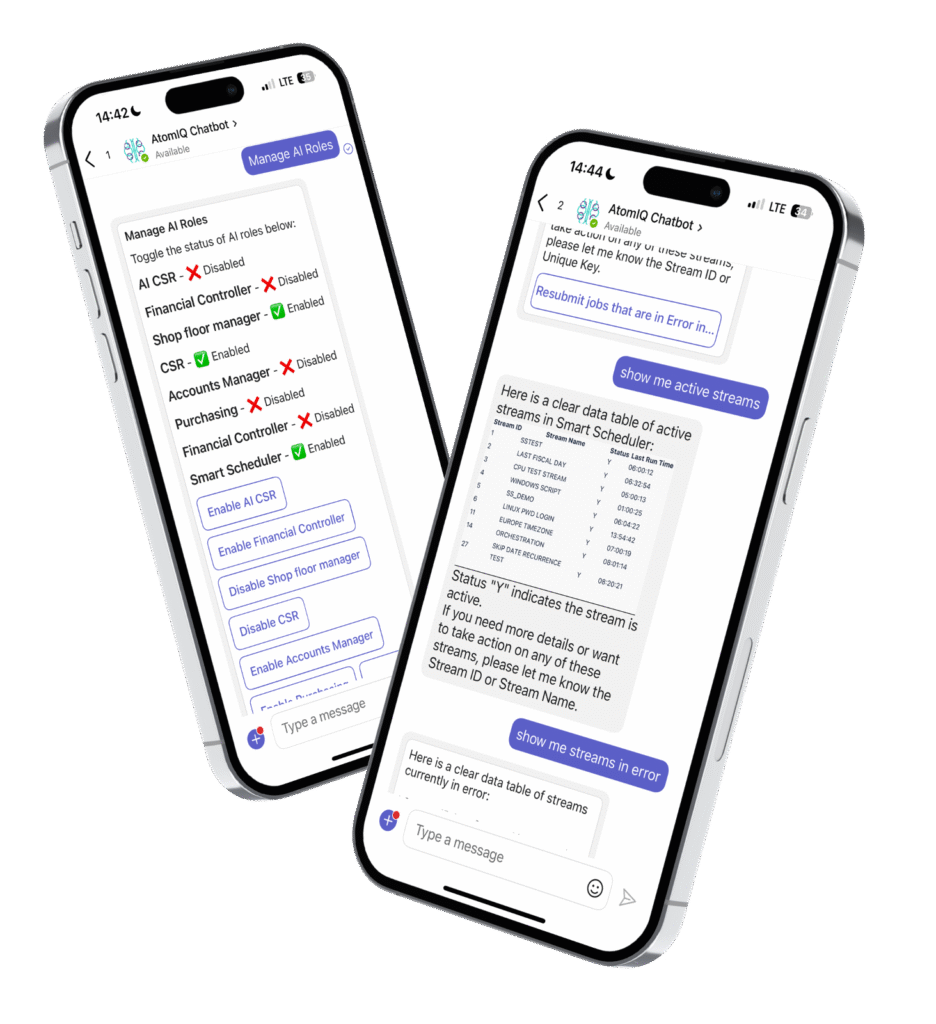
AI Chatbots for Job Inquiries, Monitoring and Automation – Now Inside Smart Scheduler

Smart Scheduler’s new AI chatbot lets you monitor job status, rerun failed jobs, and search historical data instantly. Get answers and take action faster than ever.
Key Features:
Technical Requirements
Smart Scheduler
(Existing Instance)
JD Edwards Apps 9.2
(TR 9.2.5+)
Microsoft Teams, Slack or Google Workspace
(for Chatbot Integration)
Azure Cloud Tenancy
(Optional)
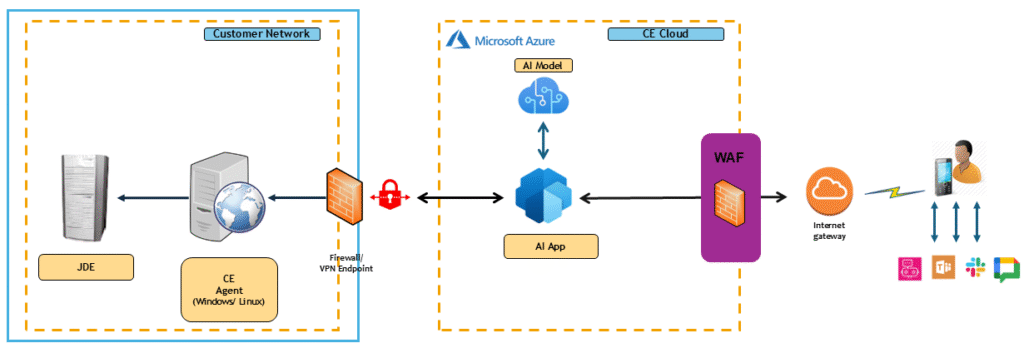
Process Flow
Frequently Asked Questions
Do I need a separate server to set up the Smart Scheduler AI Agent?
No, you can use the existing Smart Scheduler engine.
Can I use my Azure tenancy to host the data?
Yes, you can use your Azure tenancy.
Can I access my standard scheduled jobs using AI search?
Yes, you will have access to “Work with Submitted Jobs”.
Will I have access to AI-driven notifications?
Not at this time. The existing Smart Scheduler notification service is designed to cover all your alert and notification needs effectively.
How many users are provisioned?
A minimum of two users must be provisioned, with the flexibility to add more as needed.
Is there an additional cost with my existing Smart Scheduler subscription?
Yes, a small additional fee applies to your existing Smart Scheduler subscription to access the AI Agent. Please reach out to your sales rep to get pricing.
Will I be able to access additional JDE modules in the Smart Scheduler Agent?
Yes! We’re gradually rolling out additional modules, including JDE security roles, PO approvals, and more, to expand the capabilities of the Smart Scheduler AI Agent.
Get Started Today with AI Agents
Take the next step towards a faster, more intelligent way to work.
"*" indicates required fields