
Turn incoming emails into
ERP Actions
Stop manually reading emails, extracting information, and entering it into your ERP. AtomIQ automates the handoff from incoming email to ERP action.
- ✔️ No-code workflow builder
- ✔️ Full audit trail on every workflow
- ✔️ Use the AI model you prefer (ChatGPT, Claude, Gemini & more)
- ✔️ Automatically turn email data into ERP transactions
Connects natively with 50+ Platforms
NetSuite
JD Edwards
Google Sheet
Hubspot
Zoho CRM
Shopify
Walmart
Salesforce
Amazon
How It Works
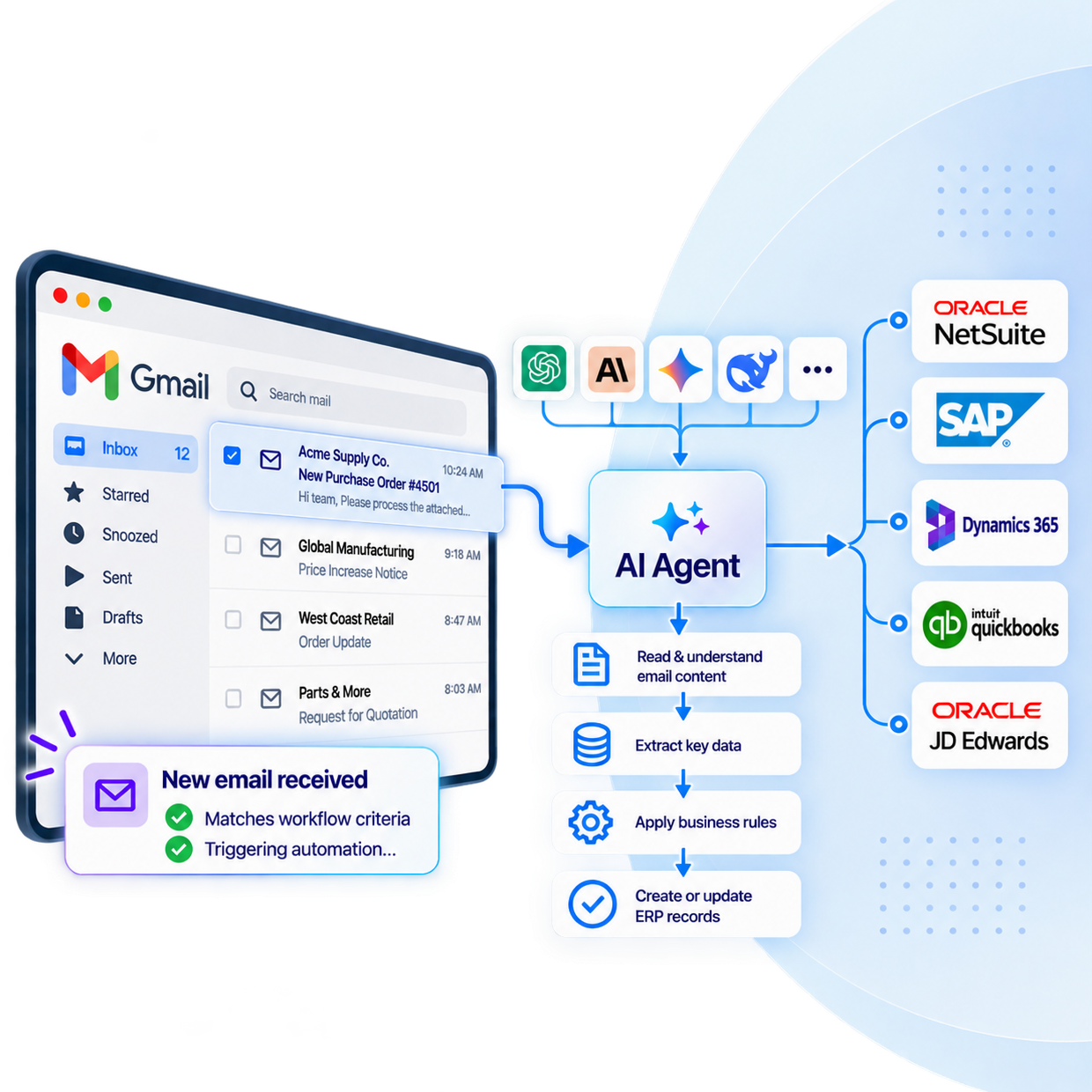
Gmail connects with AtomIQ to trigger workflows the moment an email arrives. AI Agent reads the content, extracts what matters, and acts on it — creating records, updating systems, or routing data downstream.
What Can You Automate?
Replace repetitive email-driven processes with workflows that run automatically.
Email-to-ERP Order Creation
Customers send purchase orders or order requests by email. AI extracts the order information and AtomIQ creates the corresponding sales order.
Email → AI → Sales Order
Invoice & Document Processing
Route invoices, purchase orders and other email attachments through AI/OCR to extract structured information for downstream processing.
Email + Attachment → AI/OCR → ERP
Requests & Business Processes
Automate ERP actions triggered by requests from employees, customers or partners instead of manually processing every email.
Request → AI → Business Rules → ERP
Example Workflows You Can Build
The first row below is a real, working workflow with a published demo video — not a hypothetical.
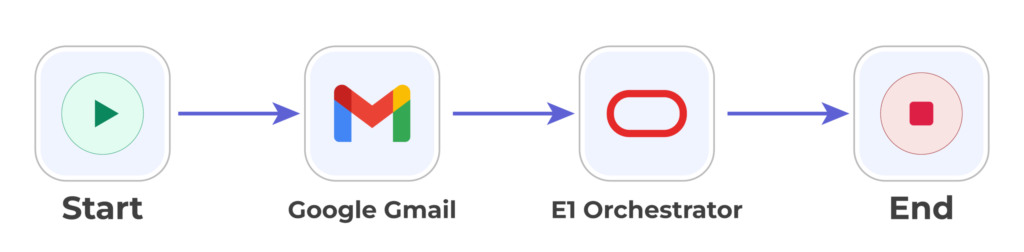
Read incoming order emails and create a JD Edwards Sales Order automatically
Gmail + JD Edwards (AI Agent)
Send PO approval requests from NetSuite into Gmail for review
Gmail + NetSuite
Route workflow alerts and exceptions to Gmail for follow-up
Gmail + AtomIQ Monitoring
Log key email data into Google Sheets for tracking
Gmail + Google Sheets
Build the Workflow Your Business Needs
Core capabilities AtomIQ’s Integration Studio supports when triggered by Gmail.
Trigger
New Email Received
Start a workflow when a Gmail or Outlook email matches your defined criteria.
Understand
AI Agent Analyzes Email Content
Extract order numbers, customer details, dates, line items, requests or any information your workflow needs.
Decide
Business Logic & Routing
Apply conditions and route different emails down different workflow paths.
Act
ERP Action
Create or update records in your ERP using the information extracted from the email.
Let AI Agent Read Your Inbox and Act
AtomIQ AI Agent monitors Gmail, understands incoming emails using the LLM provider of your choice, and creates records directly in JD Edwards or other connected ERPs — no manual entry, no inbox babysitting.
Works With the LLM You Trust
Anthropic
OpenAI
Azure OpenAI
Google Gemini
AWS Bedrock
DeepSeek
Grok
Mistral
Ollama
Get Started Automating Gmail
Connect Gmail in AtomIQ's Connection Interface
Choose your AI provider and configure AI Agent
Map extracted fields to your ERP, no code required
Test the workflow with built-in simulation tools
Deploy live with zero downtime and monitor from one dashboard
Frequently Asked Questions
Can AtomIQ create ERP records automatically from a Gmail message?
Yes. AtomIQ AI Agent can monitor a Gmail inbox, use an LLM to read and understand incoming emails, and create records such as Sales Orders directly in JD Edwards through E1 Orchestrator, or in other connected ERPs.
Is coding required to build a Gmail workflow in AtomIQ?
No. AtomIQ’s Integration Studio is low-code/no-code, so operations and finance teams can design, test, and deploy Gmail-triggered workflows without writing custom integration code.
Can I test a Gmail workflow before it goes live?
Yes. AtomIQ includes built-in simulation and troubleshooting tools so you can test changes to a workflow, then deploy live with zero downtime.
Which AI providers can analyze the email content?
AtomIQ AI Agent supports Anthropic, OpenAI, Azure OpenAI, Google Gemini, AWS Bedrock, DeepSeek, Mistral, Grok, and self-hosted models via Ollama.