

Work Order
Management Agent
An AI-powered solution designed to optimize manufacturing operations by providing real-time visibility, predictive insights, and automated decision support across the entire work order lifecycle.
What It Does
- Monitors and predicts planned vs. actual completion of work orders.
- Tracks cycle time performance and identifies delays.
- Ensures material readiness and fill rate optimization.
- Automates scheduling based on real-time constraints.
Key Capabilities:
Performance Monitoring
Material Intelligence
Predictive Alerts
Autonomous Scheduling
Root-Cause Insights
Value for Manufacturers
- Improve on-time delivery and reduce lead-time variance.
- Minimize production disruptions through proactive alerts.
- Enhance planner efficiency with automated workflows and decision support.
Technical Requirements
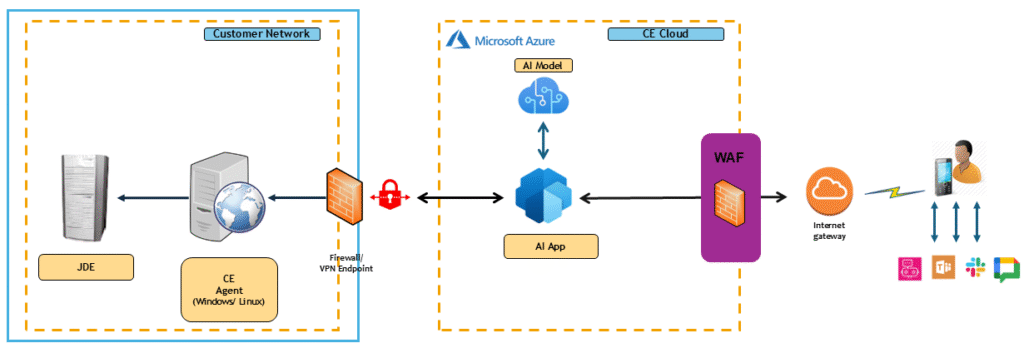
CE Agent
JD Edwards Apps 9.2
Microsoft Teams, Slack or Google Workspace
Azure Cloud Tenancy
Process Flow
Frequently Asked Questions
Do I need a server to set up the AI Agent?
Yes, an agent setup is required to ensure seamless connectivity with Microsoft Teams, Slack, or Google Workspace — enabling real-time interaction and effortless integration.
Can I use my Azure tenancy to host the data?
Yes, you can use your Azure tenancy.
Will I have access to AI-driven notifications?
Yes, AI Driven Notifications will be available to all applicable use cases. For list of use cases, contact our sales team.
How many users are provisioned?
A minimum of two users must be provisioned, with the flexibility to add more as needed.
Can I integrate the AI Agent with Web or Inside E1 via E1 Pages?
Yes! The AI Agent can be Integrated inside a browser and inside E1 Pages to give an Integrated experience to the end users.
Will I be able to access additional JDE modules using the Agent?
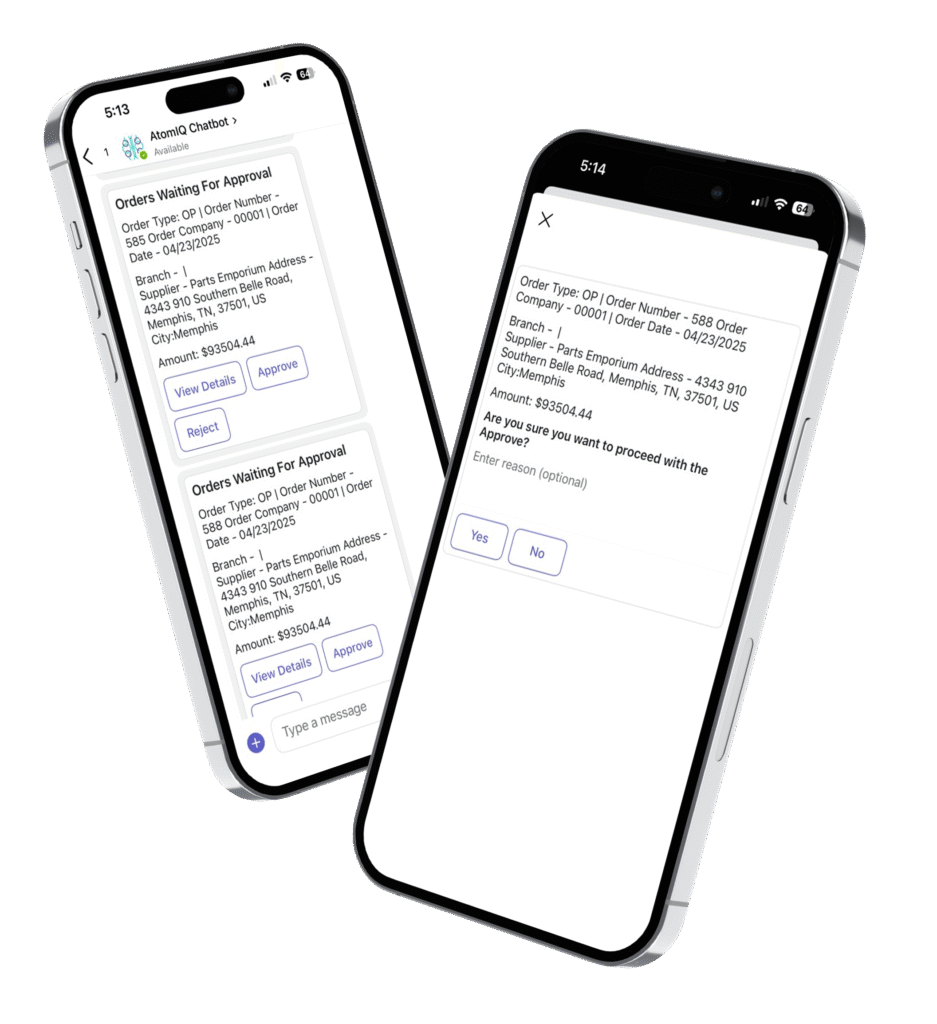
Yes! We’re gradually rolling out additional modules, including JDE security roles, PO approvals, and more, to expand the capabilities.
Get Started Today with AI Agents
Take the next step towards a faster, more intelligent way to work.
"*" indicates required fields